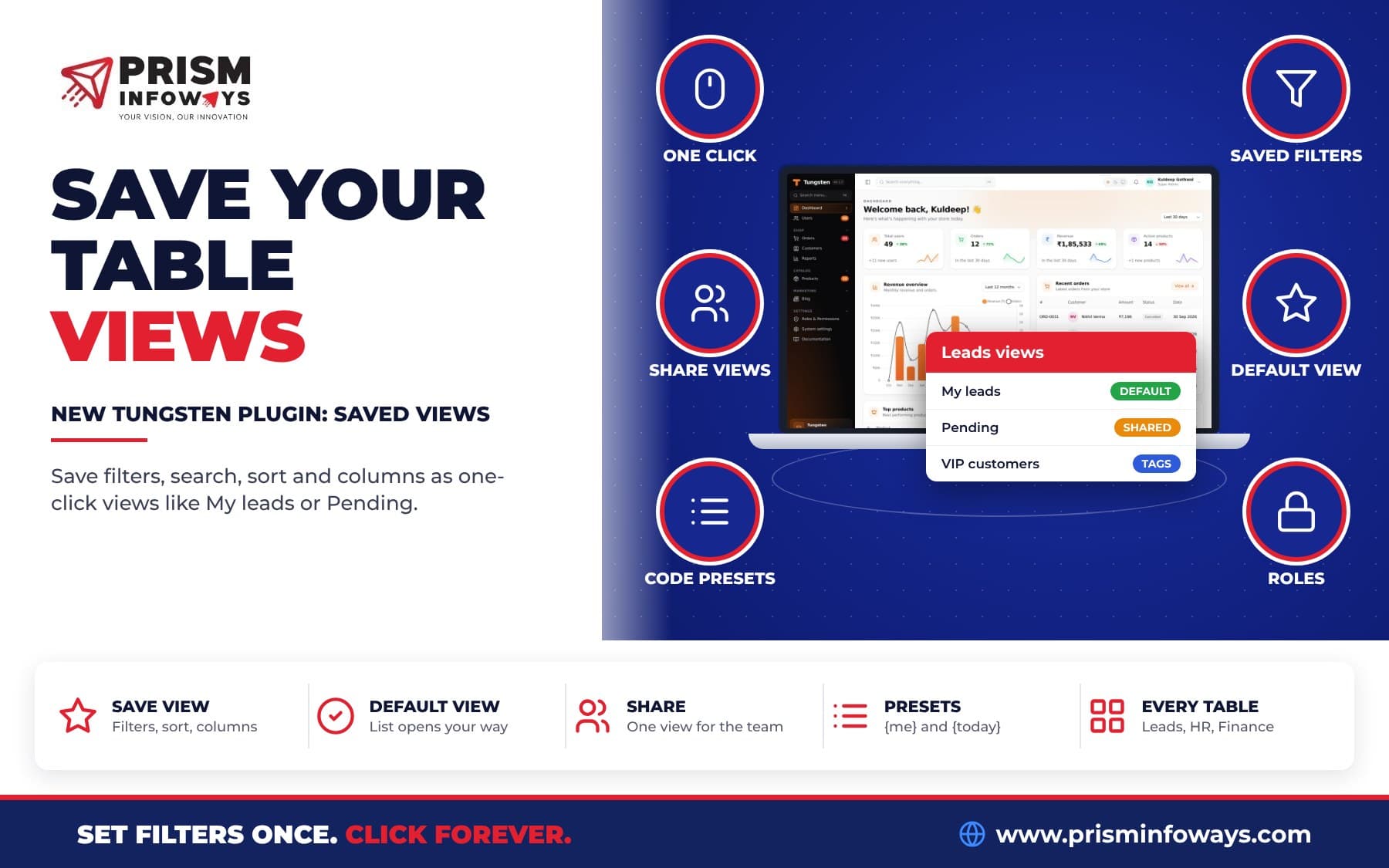
tungsten-saved-views lets every user of a Tungsten FastAPI admin panel save filters, search, sort and columns as one-click views like My leads or Pending, share them and pick a default.
In short: tungsten-saved-views is a free, open-source plugin that adds saved table views to a FastAPI admin panel built with Tungsten. Each user can save their filters, search, sort, tab and columns as a one-click view like My leads or Pending, share it with the team, and pick the view a list opens with. It is like the "user views" in Filament's Advanced Tables, but for Python and FastAPI.
No more setting the same five filters every morning. Save them once, click once. See the Saved views plugin page, or read on for a simple, full guide.
What are saved table views in a FastAPI admin panel?
Tungsten is our admin panel for FastAPI (new to it? Read our introduction to the Tungsten FastAPI admin panel). A list page in the panel, like Leads or Orders, has filters, a search box, sorting, tabs and columns you can hide.
A saved view is a name for one set of those choices. For example:
- Pending: status is pending, newest first.
- My leads: leads given to me.
- Big orders: sorted by total, highest first.
The plugin adds a row of these views (a "views bar") above every resource table. Click a view and the table changes to it. The view you are on is highlighted, and the highlight moves when you change a filter.
Who is this for?
Anyone whose team opens the same lists many times a day:
- A shop: the owner keeps Placed today and Refunds, while the packing staff keep Ready to ship.
- A school or coaching centre: the front desk keeps New enquiries this week, and each counsellor keeps My leads.
- A clinic: the support team keeps My tickets and Urgent.
- An agency: each account manager saves a view per client, and the boss shares one Overdue invoices view with everyone.
- A SaaS company: sales keep VIP customers using a tag filter, and finance keeps Unpaid this month.
Each person sees their own views plus any views shared with the team.
How do I install saved views?
You need a Tungsten panel with tungsten-admin 0.1.7 or newer.
- Install the package from tungsten-saved-views on PyPI:
pip install tungsten-saved-views - Add the plugin and create its tables:
from tungsten_saved_views import SavedViewsPlugin panel.plugin(SavedViewsPlugin()) panel.create_tables(engine) # also creates the saved view tables - Open any list in your panel. The views bar is now above the table.
- Set some filters, click Save view, give it a name. Done.
That's all. Every resource list now shows the views bar.
How do saved views work for users?
- Save view keeps the filters, search, sort, tab, page size, grouping and the columns the user can see.
- Open a view with one click.
- Open the list with this view makes a view the user's default. All always shows every record.
- Save current filters here changes a view to what the user sees now.
- Rename, Share with everyone and Delete are in the small arrow next to each view.
- A Saved views page in the user menu lets people rename, recolour, pick an icon, set the order and delete views.
Views belong to the user who saved them. A shared view shows to everyone who can open that list, and anyone can make it their own default. When the panel uses multi-tenancy (one panel serving many teams or companies), views are kept per team.
How do I add ready views for everyone from code?
As a developer, you can add views that everyone sees with preset(). The query is the table address: the part after ? in the URL when you set the filters by hand.
views = SavedViewsPlugin()
views.preset("orders", "My orders", "filters.owner_id.value={me}", icon="user-round", color="primary")
views.preset("orders", "Big orders", "sort=total&direction=desc", icon="trending-up")
views.preset("orders", "Placed today", "filters.placed_on.from={today}&filters.placed_on.until={today}")
views.preset("orders", "Refunds", "tab=refunds", visible=lambda user: user.is_admin)
panel.plugin(views)
{me} becomes the signed-in user's id, and {today} becomes today's date. visible(ctx, user) can hide a preset from some users. Users can make a preset their default too.
Ready views from other plugins
When these plugins are installed, ready views are added for you:
| Plugin | Ready view |
|---|---|
Help desk (tungsten-tickets) | My tickets: tickets given to me |
Leads (tungsten-leads) | My leads: leads given to me |
Read more about these in our posts on the help desk and other Tungsten plugins and on Facebook, Instagram and WhatsApp leads.
With the Tags plugin installed, the tag filter is saved like any other filter. So a view like VIP customers works out of the box. Every other list, like HR employees, attendance and leave, or Finance invoices and payments, works with saved views the same way, with no setup.
Plugin options
SavedViewsPlugin(
    resources=None,        # slugs that get the bar; None means every resource
    exclude=["audit-log"], # slugs that never get it
    presets=True,          # ready views for installed plugins, like "My tickets"
    sharing=True,          # allow sharing views with everyone
    manage_page=True,      # the "Saved views" page in the user menu
    max_views=30,          # most views one user may save on one list
)
Who can share and change views?
With roles and permissions on, two permissions show in the Roles screen:
saved_views.share: may share a view with everyone. Without it, the "Share" box is hidden.saved_views.manage: may rename, change and delete views other people shared.
Everyone can always save, change and delete their own views. Without roles, everyone may share, and only the person who saved a view may change it. Views are saved with normal form posts that carry the panel's CSRF token (a secret that blocks fake requests from other sites).
Saved views vs setting filters by hand vs bookmarks
| Set filters each time | Browser bookmark | tungsten-saved-views | |
|---|---|---|---|
| One click to open | No | Yes | Yes |
| Shown right above the table | No | No | Yes |
| Keeps hidden columns | No | No | Yes |
| Works for "me" and "today" for each user | No | No | Yes, with {me} and {today} presets |
| Share with the whole team in the panel | No | Send links by hand | Yes |
| Default view when a list opens | No | No | Yes |
| Works on any device you sign in from | Yes | Only that browser | Yes, stored in your database |
Can other plugins use saved views?
Yes. A board, a dashboard or any other code can read the same views:
views = panel.get_plugin("saved-views")
if views is not None:
    for view in views.views_for(ctx, "leads"):
        print(view.name, view.url, view.query)   # query is the table address, with {me} filled in

    views.on_view_saved("my-plugin", lambda db, view: ...)
    views.on_view_deleted("my-plugin", lambda db, view: ...)
The plugin works fine alone, and every hook is optional. Saved views pair well with other new plugins, like the Kanban board plugin for a board view of the same records, and the Quick create plugin for adding records without leaving the list.
Tips and good practice
- Start with three views per list. For example Mine, Pending and Today. Too many views make the bar hard to read.
- Share the team views once. A manager can share Overdue so everyone works from the same list.
- Use presets for views everyone needs. They come from code, so new staff get them on day one.
- Use colors and icons on the Saved views page so people find the right view fast.
- Hide the bar where it does not help with
exclude=[...], for example on a log page.
Limits to know
- A view keeps only table settings. The page number and open panels are not saved.
- If a filter is later removed from the table, views that used it still open. The old filter is ignored.
- Names are up to 80 letters and must be different on one list for one user.
- One user may save up to 30 views per list by default (
max_views). - Opening a list straight into its default view needs the next Tungsten release. With 0.1.7, the page loads once and then moves to the default view.
Key facts
- Package:
tungsten-saved-views(importSavedViewsPluginfromtungsten_saved_views) - Version: 0.1.0
- Needs:
tungsten-admin0.1.7 or newer, Python 3.10 or newer - License: MIT. Free and open source.
- Permissions:
saved_views.shareandsaved_views.manage - Ready views: My tickets (with Tickets) and My leads (with Leads)
- Docs: Saved views documentation
- Source: Tungsten on GitHub
Get started
Install tungsten-saved-views from PyPI, add one line to your panel, and every list gets one-click views. For all options, read the Saved views docs or visit the Saved views plugin page. See what is new in the Tungsten changelog, and browse all Tungsten plugins.
Want an admin panel where every team member sees exactly the lists they need? Talk to us if you want it built around your business.
More new Tungsten plugins
This plugin is part of a new batch of free Tungsten plugins. Each one installs with pip and works with the others:
- Quick Create: add any record from any page.
- Kanban boards: drag and drop records between columns.
- Custom dashboards: build your own dashboard with widgets.
- Calendar: meetings, leave and due dates in one view.
- Tags: colored tags and tag filters on any record.
- Media library: upload a file once and reuse it anywhere.
- Database backups: back up your database in one click.
- Impersonate: log in as a user to see what they see.
- Environment indicator: know if you are on Local, Staging or Live.
- Install as an app (PWA): put your admin panel on the phone home screen.
Frequently asked questions
How do I save table filters in a FastAPI admin panel?
Install the free tungsten-saved-views package and add panel.plugin(SavedViewsPlugin()) to your Tungsten panel. Every list gets a views bar, and users click Save view to keep their filters, search, sort, tab and columns as a one-click view.
What does a saved view keep?
A view in tungsten-saved-views keeps the filters, search, sort, tab, page size, grouping and the columns the user can see. The page number and open panels are not saved.
Can I share a saved view with my whole team?
Yes. Choose Share with everyone on the view, and it shows to everyone who can open that list. With roles on, this needs the saved_views.share permission.
Can each user pick the view a list opens with?
Yes. Choose Open the list with this view to make it that user's default. The All view always shows every record.
How do I add a "My orders" view for every user from code?
Call preset() on SavedViewsPlugin with the resource slug, a name and the table address, like filters.owner_id.value={me}. In tungsten-saved-views, {me} becomes the signed-in user's id and {today} becomes today's date.
Is this like Filament's Advanced Tables user views?
Yes, tungsten-saved-views gives Tungsten, a Python and FastAPI admin panel, the same idea: users save their own table views, share them and pick a default. It is free and open source under the MIT license.
Do saved views work with the Tags plugin?
Yes. With tungsten-tags installed, the tag filter is saved like any other filter, so a view like VIP customers works out of the box.
Need Expert IT Solutions?
Ready to transform your business? Team up with Prism Infoways and harness cutting-edge technology for your growth.
Contact Us