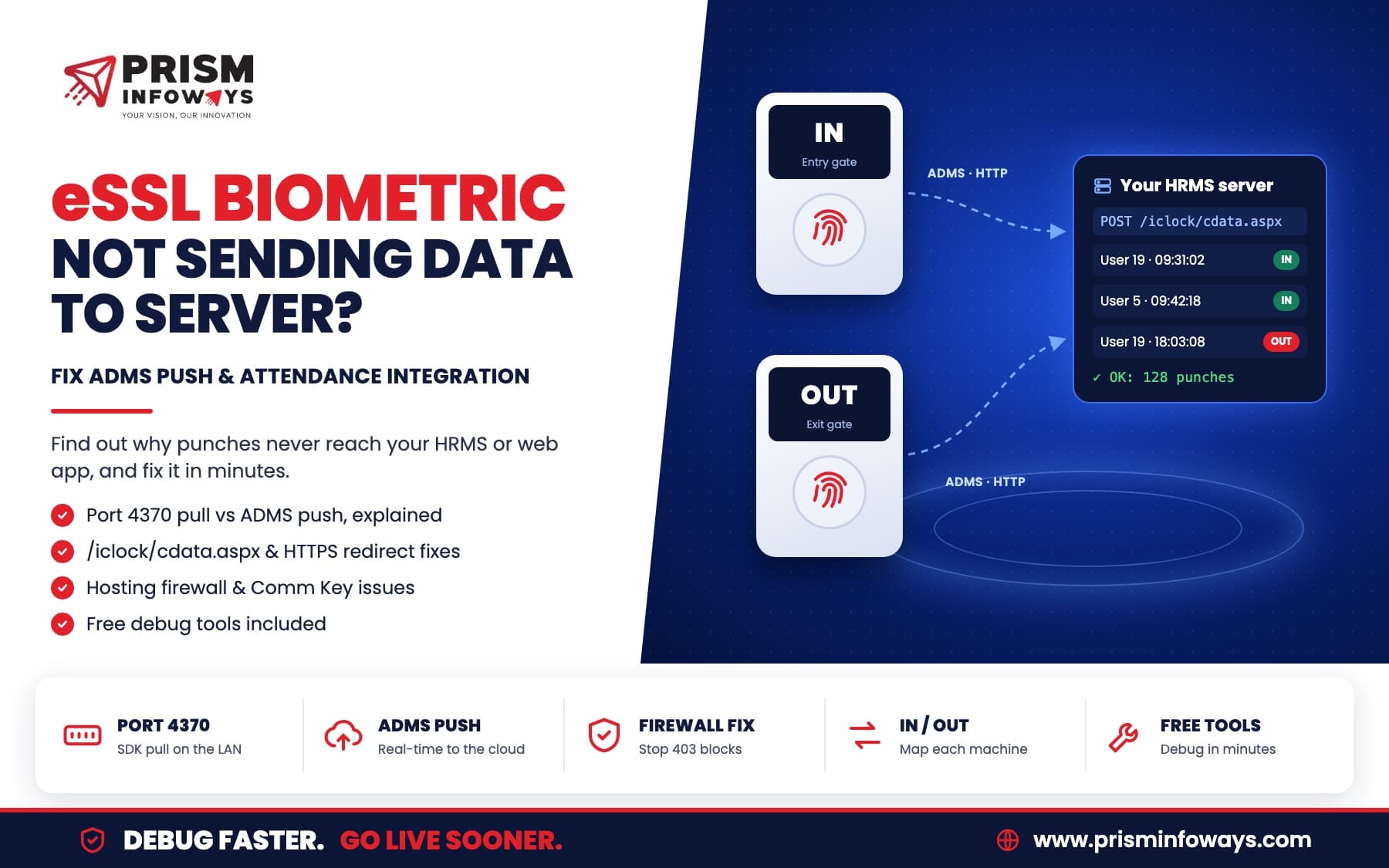
eSSL machine recording punches but your HRMS or web server gets nothing? Learn the 9 real causes (port 4370, ADMS .aspx URLs, HTTPS, hosting firewall, Comm Key) and how to debug them step by step with free tools.
Your eSSL biometric machine records every punch, eTimeTrackLite shows the data, but your own HRMS, payroll or web portal receives nothing. This is one of the most common problems in biometric attendance integration, and it is almost never the machine's fault.
Quick answer: eSSL (ZKTeco-based) machines send data in one of two ways: your server pulls it from the machine on port 4370, or the machine pushes it to your server over HTTP in ADMS (Cloud Server) mode. Integration usually fails because the server cannot reach the machine's private IP, the server does not answer the machine's
/iclock/cdata.aspxURL, the site forces HTTPS, or the hosting firewall blocks the machine after a burst of uploads. Each of these can be found in under 10 minutes with the right test tool.
We recently debugged a two-machine setup (one machine for IN, one for OUT) where the machines were healthy, yet no punches reached the server. This guide shares what we found, the exact checks we use, and the free tools we built to find the problem fast.
How Does an eSSL Biometric Machine Send Attendance Data?
eSSL machines run ZKTeco firmware and support two integration modes. Pick the right one first, because each fails in different ways.
| SDK / Pull mode | ADMS / Push mode | |
|---|---|---|
| Who connects | Your server or PC connects to the machine | The machine connects to your server |
| Port | TCP or UDP 4370 on the machine | HTTP port 80 (or your chosen port) on the server |
| Network | Server must reach the machine's IP (same LAN or VPN) | Machine must reach the server over the internet |
| Typical software | zkemkeeper.dll, pyzk, node-zklib, eTimeTrackLite | Your own endpoint at /iclock/cdata and /iclock/getrequest |
| Best for | Software installed in the same office | Cloud HRMS, cPanel or any hosted web app |
If your application is hosted on cPanel, AWS or any cloud server, pull mode cannot work on its own: an address like 192.168.1.200 exists only inside the office network. Use push (ADMS) mode, or run a small local agent in the office that reads the machine and forwards the data.
Why Is My eSSL Machine Not Sending Data to the Server?
These are the causes we see most often, in the order we check them.
1. The server cannot reach the machine (pull mode)
A cloud server cannot open a connection to a private LAN address. If port 4370 works from an office PC but not from your server, this is the reason. Switch to ADMS push or use a local agent.
2. The server does not answer the .aspx URLs
Many eSSL push firmwares call /iclock/cdata.aspx and /iclock/getrequest.aspx, not /iclock/cdata. If your route only matches the second form, every request gets a 404 and nothing is saved. Accept both forms.
3. The website forces HTTPS
Most biometric machines speak plain HTTP and do not follow a redirect to HTTPS. A "Force HTTPS Redirect" switch in cPanel or an .htaccess rule silently breaks the integration. Exclude the /iclock/ path, or turn the redirect off for the subdomain that receives the data.
4. The hosting firewall blocks the machine after a burst
When a machine first connects, it uploads its stored punches in batches. In our case it sent 128 punches per request, one request every 3 seconds. After about a minute, the server's firewall (ModSecurity, Imunify360 or a bot filter) started answering 403 Forbidden, and the upload stopped part-way. Whitelist the office's public IP and relax ModSecurity for the receiving subdomain. Our managed cybersecurity team can help you do this without weakening the rest of the server.
5. The server's reply is wrong
The machine only moves on when the server confirms each batch with OK: <number of lines>. A missing reply, an error page or extra PHP warnings in the response make the machine resend the same batch, which creates duplicates or an endless loop.
6. Comm Key authentication is not handled (pull mode)
Some machines ask for authentication even when the Comm Key is 0: they answer the first CONNECT command with ACK_UNAUTH. Libraries that skip the AUTH step (command 1102) then fail or hang. Check that your SDK handles it.
7. Another program is already connected
eTimeTrackLite, an old Windows service or a second server may hold the machine's connection. Machines accept only a few connections at a time, so close the other software while you test.
8. Wrong network settings on the machine
For push mode with a domain name, the machine needs a correct Gateway and a working DNS (for example 8.8.8.8), with "Enable Domain Name" switched on. On shared hosting, always use the domain: the server IP alone reaches a different website.
9. The machine's clock is wrong
Punches carry the machine's own time. A clock that is off by a few minutes makes late marks and early exits look wrong in payroll. Sync the time before going live.
Why Does the Server Receive Only Old Punches?
The machine, not the server, remembers what it has uploaded. It keeps an internal pointer (called the Stamp in the push protocol) to the last punch the server confirmed. It sends the punches after that pointer in date order, and moves the pointer only when the server replies OK.
So if a machine last pushed successfully a year ago, it first uploads a year of old punches, and today's punches arrive only after that backlog. In our test, the first 2,304 punches received were from August to October of the previous year. That is normal backlog, not a fault. If the upload stops before reaching today, look for firewall blocks or wrong replies (causes 4 and 5).
The server can reset the pointer during the handshake: ATTLOGStamp=None asks the machine to upload everything again. Leave it out to continue from where the machine stopped.
How to Debug eSSL Biometric Integration Step by Step
We built two small tools for this, because guessing wastes days. Both only read data: they never change or delete anything on the machine.
Tool 1: eSSL Biometric Debug Tool (Windows)
A single .exe for Windows 7 to 11. No installation: double-click it and it opens in the browser.
- Full Diagnosis: checks the subnet, port 4370 (TCP, with automatic UDP fallback), Comm Key login, serial number, firmware, user and punch counts, clock difference, and downloads the latest punches.
- Scan Network: finds every machine on the LAN with port 4370 open.
- Push / ADMS listener: turns the PC into a test server so you can see exactly what the machine sends.
- Report: one .txt file with every step, error and raw packet, ready to send to your developer.
Tool 2: eSSL Push Web Tool (cPanel)
A small PHP receiver you upload to a subdomain on any cPanel host. It needs no database.
- Accepts both
/iclock/cdataand/iclock/cdata.aspxstyle URLs and replies in the correct format. - Shows each machine as Online or Offline, and lets you label each serial number as IN or OUT.
- Lists every punch with a Delay column, and runs a self-test that catches HTTPS redirects, missing
.htaccessrules and firewall blocks.
Want the tools? Contact us and we will share both free of cost.
The test sequence we follow
- Run Full Diagnosis from an office PC. If it passes, the machine and LAN are fine.
- Decide the mode: pull if your software runs in the office, push if it is hosted online.
- For push, upload the web tool to a subdomain, turn off the HTTPS redirect, and run the self-test.
- Set each machine: Comm. → Cloud Server Setting → Server Mode ADMS, your subdomain, port 80. Restart it.
- Wait until the backlog upload finishes, then make one test punch on each machine.
- Pass when every new punch arrives within about 10 seconds, with the right IN or OUT label.
What Does "Delay" Mean in Push Attendance Data?
Delay is the time the punch reached the server minus the time the person punched on the machine.
| Delay | Meaning |
|---|---|
| 0 to 10 seconds | Real-time push is working |
| A few minutes | The machine was briefly offline and caught up |
| Hours, days or months | Old stored punches being uploaded (backlog) |
| Negative | The machine's clock is ahead of the server |
Checklist for Developers Building the Receiver
- Route
/iclock/cdata,/iclock/getrequestand/iclock/devicecmd, with and without.aspx. - Answer the handshake (GET
cdata) with the options text that starts withGET OPTION FROM: <SN>. - Reply
OK: nto every ATTLOG upload, andOKtogetrequest. - Serve plain HTTP for
/iclock/, with no redirect and no PHP notices in the body. - Store punches with a unique key of serial number + user ID + punch time, so resent batches do not create duplicates.
- Take IN or OUT from the machine's serial number when you use separate entry and exit machines; the status field is often 0 for every punch.
- Whitelist the office IP in the hosting firewall and log every request while you test.
Need Custom Attendance or HRMS Software?
Off-the-shelf attendance software rarely fits the way a factory, school or multi-branch business really works. Prism Infoways builds custom attendance, payroll and HRMS systems that connect directly to eSSL and ZKTeco machines, in push or pull mode, with IN/OUT rules, shift logic and reports built for you.
- Software development consulting to plan the right architecture
- PHP web development for cPanel-hosted attendance portals
- Enterprise solutions for multi-location HR and payroll
- Mobile app development for employee self-service and approvals
- PLC and IoT integration when attendance must link with machines on the shop floor
Building your own admin dashboard in Python? Our free Tungsten FastAPI admin panel gives you tables, filters and exports for attendance data in minutes.
Frequently Asked Questions
What is ADMS in an eSSL biometric machine?
ADMS (shown as Cloud Server Setting on many machines) is the push mode in which the machine sends every punch to a server over HTTP. You enter the server's domain or IP and port on the machine, and it calls URLs such as /iclock/cdata on that server.
Which port does an eSSL biometric machine use?
For SDK or pull integration the machine listens on port 4370 (TCP, and UDP on older models). For ADMS push it connects to the server's HTTP port, usually 80.
Can a cloud or cPanel server read data directly from an eSSL machine?
Not directly, because the machine has a private office IP. Use ADMS push mode so the machine sends data to the server, or install a small local agent in the office that reads the machine and forwards the data.
Why is my eSSL machine uploading only old punches?
The machine uploads from its last confirmed point in date order. If it last pushed months ago, it sends that backlog first; today's punches arrive after it. If the upload stops part-way, check the server's replies and firewall.
Does eSSL ADMS work with HTTPS?
Most eSSL machines use plain HTTP for ADMS. Keep the receiving URL on HTTP and make sure the server does not redirect /iclock/ requests to HTTPS.
How do I know which machine is IN and which is OUT?
Each machine sends its serial number (SN) with every request. Map each serial number to IN or OUT in your software, because the punch status is often 0 for all punches.
How long does eSSL attendance integration take?
With working machines and the right tests, a basic push integration can run in a day. Most delays come from network, hosting and firewall issues, which the debug tools above find quickly.
eSSL and ZKTeco are trademarks of their respective owners. Prism Infoways is an independent software company and is not affiliated with them.
Need Expert IT Solutions?
Ready to transform your business? Team up with Prism Infoways and harness cutting-edge technology for your growth.
Contact Us